
12 Best AI Coding Tools in 2026: Tested by Developers to Code Faster and Smarter
Artificial intelligence is transforming software development faster than ever. The best AI coding tools in 2026 don't replace developers—they eliminate repetitive work, accelerate debugging, generate better code, and help engineers focus on solving real problems.

Not long ago, writing software meant spending hours searching through documentation, debugging mysterious errors, and rewriting the same pieces of code again and again.
Today, the workflow looks very different.
Modern AI coding assistants can autocomplete entire functions, explain unfamiliar codebases, detect bugs before you even run your application, generate unit tests, and even build complete projects from simple natural language instructions.
For many developers, the question is no longer:
"Should I use AI while coding?"
Instead, the real question has become:
"Which AI coding tool actually makes me a better developer?"
Whether you're building your first website, maintaining enterprise software, creating mobile applications, or experimenting with machine learning, choosing the right AI coding assistant can save hundreds of hours every year.
The challenge is that dozens of platforms now claim to be the smartest AI programmer.
Some are exceptional.
Others produce unreliable code, slow down your workflow, or simply add another monthly subscription without delivering real value.
That's why we tested today's leading AI coding tools using realistic developer workflows instead of marketing promises.
In this guide, we'll compare the most popular AI coding assistants based on code quality, accuracy, IDE integration, debugging capabilities, supported programming languages, pricing, and real-world productivity.
The best AI coding tool for most developers in 2026 is Cursor AI thanks to its exceptional code generation, deep project understanding, and seamless editing experience. GitHub Copilot remains one of the best choices for everyday coding, while Claude Code excels at understanding large codebases and Windsurf offers one of the most intelligent AI-powered development environments available today. The right choice ultimately depends on your programming language, IDE, workflow, and budget.
Why You Can Trust This Guide
The AI coding market evolves almost every month. New models, new IDEs, and new AI agents appear constantly.
Instead of ranking tools based on advertising or popularity alone, we evaluated each platform using practical software development tasks that reflect how developers actually work.
- Writing production-ready code.
- Debugging real programming errors.
- Refactoring existing projects.
- Generating documentation.
- Creating unit tests.
- Working with large repositories.
- Speed, accuracy, and overall developer experience.
Our goal isn't to crown a single winner for everyone.
It's to help you find the AI coding assistant that fits your workflow, your experience level, and the type of software you build.
The best AI developer is not the one that writes the most code. It's the one that helps you build better software with fewer mistakes.
Before comparing the top tools, let's understand what makes an AI coding assistant truly useful—and the criteria we used to evaluate every platform in this ranking.
How We Tested the Best AI Coding Tools
Choosing an AI coding assistant isn't just about finding the model that writes the most code.
Professional developers care about reliability, context awareness, debugging quality, and whether an AI actually improves productivity over weeks of real development—not just during a five-minute demo.
For this guide, we evaluated every platform using realistic software engineering workflows that developers perform every day.

⚡ Code Generation
We measured how accurately each AI generated complete functions, reusable components, APIs, SQL queries, algorithms, and production-ready code across different programming languages.
🐞 Debugging
Finding bugs is often more valuable than writing new code. We evaluated how well every tool explained errors, proposed fixes, and identified hidden problems inside existing projects.
🧠 Project Understanding
Modern AI assistants should understand entire repositories instead of isolated files. We rewarded tools capable of maintaining context across large codebases.
🚀 Developer Experience
A great coding assistant should feel like a natural extension of your IDE. Integration quality, response speed, usability, and workflow efficiency all influenced our final rankings.
What Makes an AI Coding Tool Truly Great?
Many AI platforms advertise themselves as "the smartest coding assistant."
In reality, the difference between an average AI and an exceptional one becomes obvious after only a few hours of real programming.
The best AI coding assistants consistently demonstrate several characteristics.
- Understand large projects instead of isolated files.
- Generate clean, readable, and maintainable code.
- Produce fewer hallucinations.
- Respect existing coding styles.
- Support dozens of programming languages.
- Integrate naturally inside popular IDEs.
- Help developers learn—not just generate code.
- Offer strong privacy and enterprise security options.
The fastest AI isn't always the most valuable. The best AI is the one you trust enough to keep using every single day.
Our Evaluation Criteria
To make our rankings as objective as possible, every platform received scores across the same evaluation categories.
| Category | Weight |
|---|---|
| Code Quality | 25% |
| Accuracy & Reliability | 20% |
| Context Awareness | 15% |
| Debugging | 15% |
| IDE Integration | 10% |
| Supported Languages | 5% |
| Pricing & Value | 5% |
| Developer Experience | 5% |
Who Should Use AI Coding Assistants?
One of the biggest misconceptions about AI programming tools is that they're only useful for experienced software engineers.
In reality, today's AI assistants benefit developers at almost every skill level.
🎓 Students
Learn programming concepts faster, understand unfamiliar syntax, and receive explanations instead of simply copying code.
💼 Professional Developers
Reduce repetitive work, write documentation, accelerate debugging, and stay focused on architecture rather than boilerplate.
🚀 Startups
Ship MVPs more quickly while maintaining higher development velocity with smaller engineering teams.
🏢 Enterprise Teams
Improve consistency, automate repetitive tasks, and support developers without replacing engineering best practices.
The most effective developers don't use AI to replace programming knowledge. They use AI to eliminate repetitive tasks, accelerate problem-solving, and spend more time designing robust software. Treat AI as a highly capable coding partner—not as a substitute for understanding your own code.
Now that we've established the evaluation methodology, it's time to examine the platforms themselves.
The following ranking includes the twelve AI coding tools that delivered the strongest overall performance based on practical development tasks, developer experience, and long-term value.
The 12 Best AI Coding Tools in 2026
After evaluating today's leading AI coding assistants, four platforms clearly separated themselves from the competition. These tools consistently delivered high-quality code, understood larger projects, and integrated naturally into real developer workflows.
Remember that there isn't a universal winner. The best AI coding assistant depends on your programming language, development environment, project size, and personal workflow.
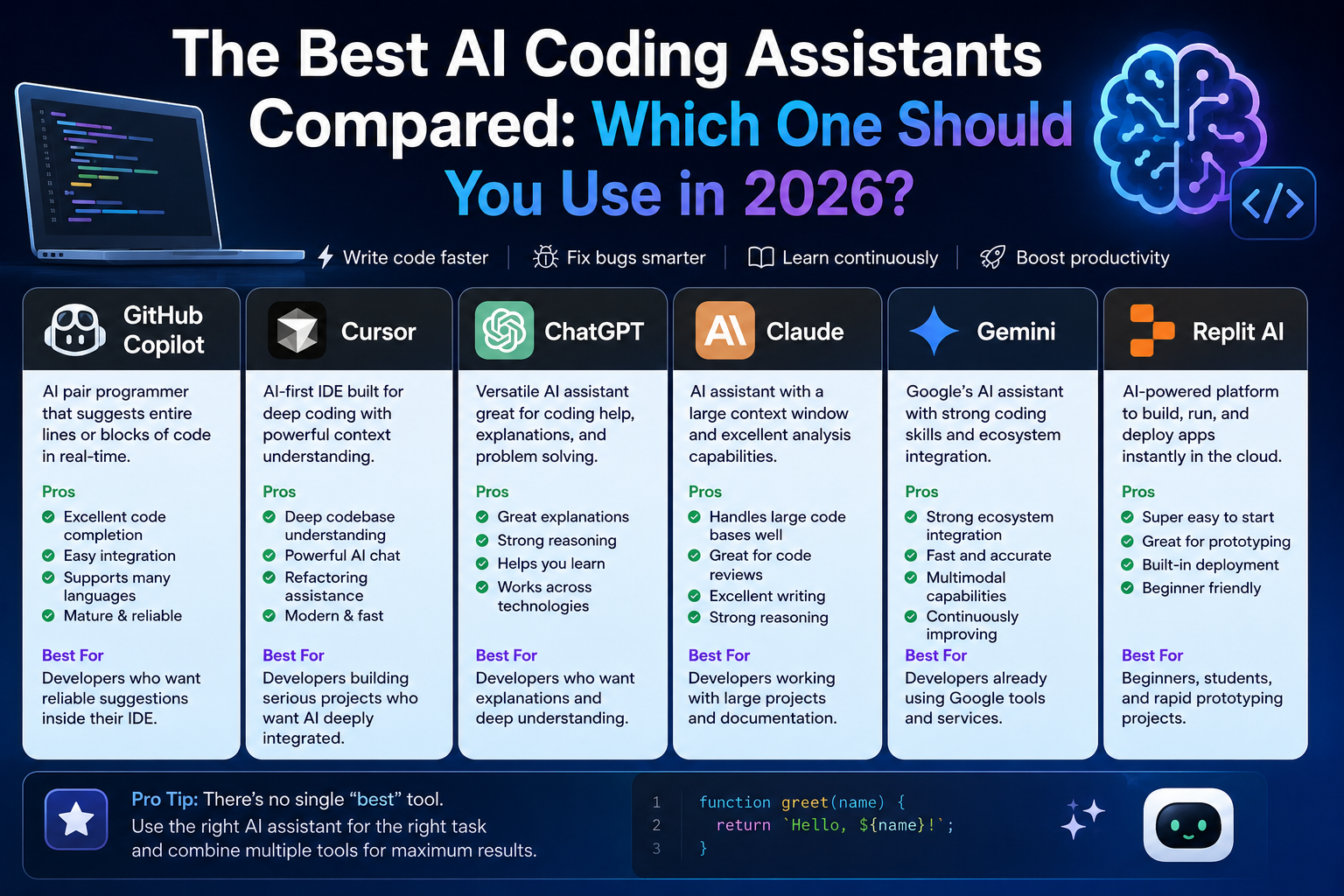
🥇 1. Cursor AI — Best Overall AI Coding Tool
Best for: Professional developers, startups, full-stack engineers, and anyone writing production software daily.
Cursor AI has quickly become one of the most respected AI-first code editors. Instead of simply adding AI to an existing IDE, Cursor was designed around AI from the beginning, making it feel like a true programming partner rather than an autocomplete plugin.
One of Cursor's biggest strengths is its ability to understand an entire project. It can navigate files, explain architecture, refactor multiple components, and generate code while respecting the existing style of the repository.
Why We Like Cursor AI
- Excellent repository-wide understanding.
- Fast code generation with high accuracy.
- Natural language editing.
- Smart debugging assistance.
- Works with large projects.
- Clean and intuitive interface.
Limitations
- Requires internet connectivity.
- Advanced features require a paid subscription.
If we had to recommend only one AI coding tool to most developers in 2026, Cursor AI would be our first choice because it combines speed, intelligence, and an outstanding developer experience.
🥈 2. GitHub Copilot — Best for Everyday Programming
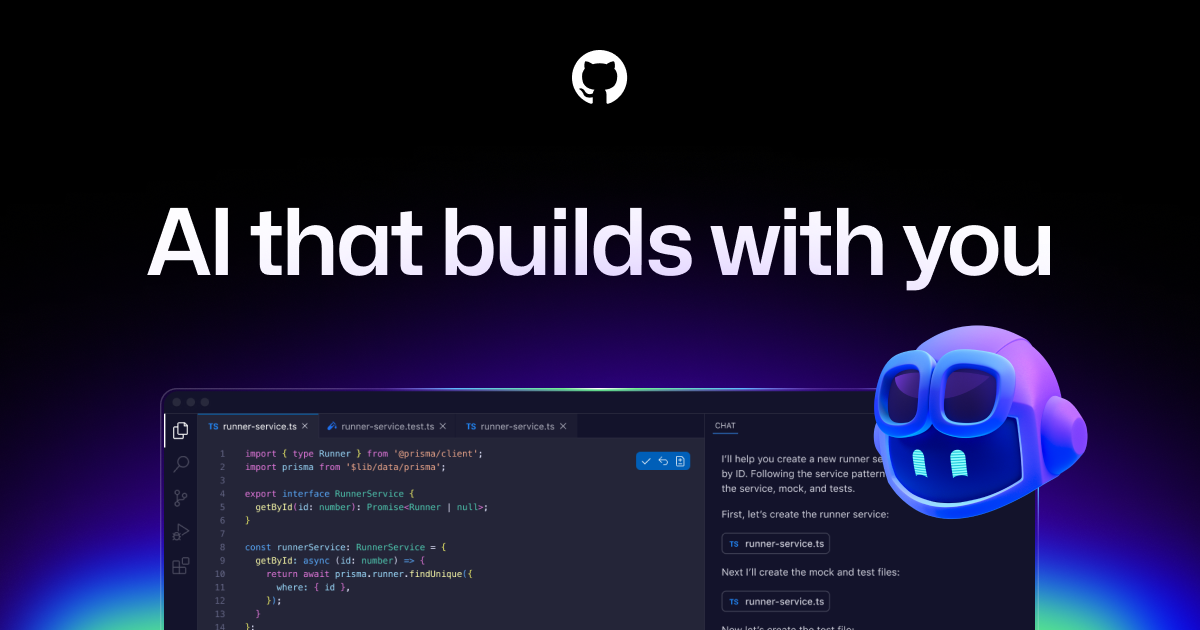
GitHub Copilot remains one of the most widely adopted AI coding assistants in the world. Integrated directly into Visual Studio Code, JetBrains IDEs, and other editors, it offers reliable code completion with minimal setup.
Its greatest advantage is familiarity. Millions of developers already work inside GitHub's ecosystem, making Copilot one of the easiest AI tools to integrate into existing workflows.
Strengths
- Excellent autocomplete suggestions.
- Supports dozens of programming languages.
- Fast response times.
- Strong IDE integration.
- Ideal for daily programming.
Weaknesses
- Less effective on very large repositories.
- Sometimes produces repetitive code suggestions.
🥉 3. Claude Code — Best for Understanding Large Codebases
Claude Code stands out because of its exceptional reasoning abilities. Instead of focusing only on code completion, it excels at understanding complex software systems, explaining unfamiliar architectures, and reviewing existing implementations.
Many experienced engineers use Claude when working with legacy projects or large enterprise repositories where understanding the existing code is often more important than generating new code.
Best Features
- Excellent reasoning capabilities.
- Very detailed explanations.
- Strong code review assistance.
- Great for debugging complex systems.
- Handles large amounts of context effectively.
Not Ideal For
- Developers expecting instant inline autocomplete.
- Very small scripting tasks.
Claude doesn't simply generate code. It often explains why that code should exist.
⭐ 4. Windsurf — Best AI-Native Development Environment
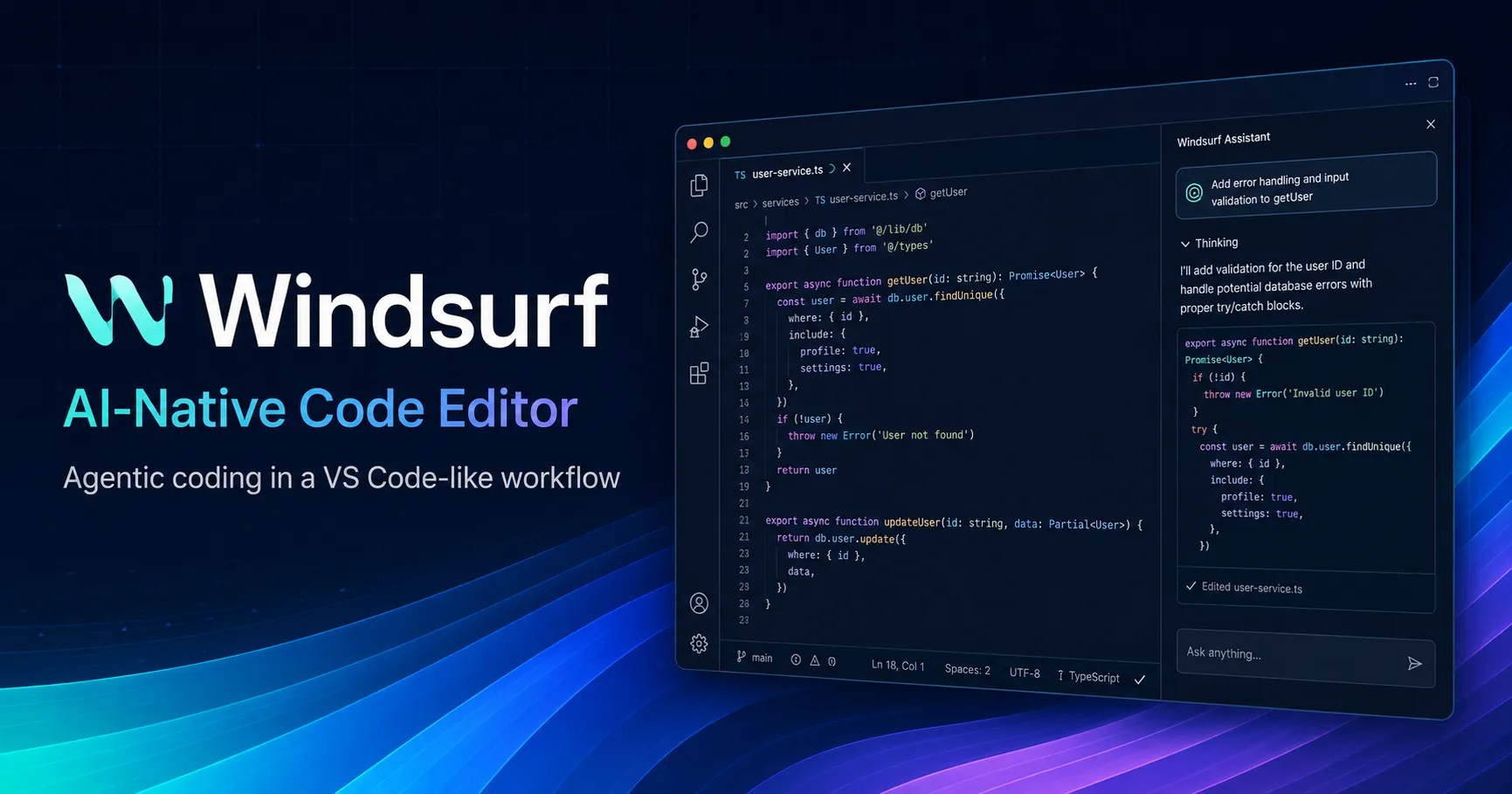
Windsurf represents a new generation of AI-native IDEs. Rather than acting as a coding assistant, it attempts to collaborate with developers throughout the entire software development lifecycle.
Its Cascade workflow allows developers to move naturally between planning, implementation, debugging, and refactoring without constantly switching tools.
Highlights
- AI-first development experience.
- Excellent multi-file editing.
- Context-aware conversations.
- Fast project navigation.
- Strong productivity improvements.
Things to Consider
- Still newer than GitHub Copilot.
- Learning curve for developers coming from traditional IDEs.
These four platforms currently lead the AI coding landscape, but they're not the only excellent options.
Some developers prioritize browser-based development. Others want AI-powered cloud environments, collaborative programming, or specialized debugging assistants.
In the next section, we'll examine four more AI coding tools that may actually be a better fit depending on your workflow and programming style.
More Excellent AI Coding Tools Worth Your Attention
Not every developer has the same workflow. Some build web applications every day, while others focus on data science, DevOps, mobile apps, or rapid prototyping. The next four AI coding tools may not have taken our top overall positions, but each excels in a specific area where it can outperform even the highest-ranked solutions.

🏅 5. Replit AI — Best for Beginners and Rapid Prototyping
If your goal is to start building software as quickly as possible without spending hours configuring development environments, Replit AI is one of the strongest choices available.
Everything runs directly inside the browser. You can write code, execute applications, collaborate with teammates, deploy projects, and receive AI assistance from a single workspace.
This simplicity makes Replit especially attractive for students, educators, startup founders, and developers who frequently experiment with new ideas.
Pros
- No local installation required.
- Perfect for learning programming.
- Instant cloud development.
- Integrated deployment workflow.
- Excellent collaborative features.
Cons
- Less suitable for massive enterprise repositories.
- Performance depends on internet connectivity.
Students, educators, indie developers, startup founders, hackathons, and rapid MVP development.
🏅 6. Bolt.new — Best AI Tool for Building Full-Stack Web Apps
Bolt.new has become incredibly popular because it focuses on something developers care about: building complete web applications from simple natural language prompts.
Instead of generating isolated functions, Bolt can create interfaces, backend logic, routing, APIs, authentication, and deployment-ready projects within minutes.
For entrepreneurs and solo developers, this dramatically reduces the time required to launch an MVP.
What We Loved
- Excellent full-stack generation.
- Fast React and Next.js workflows.
- Beautiful UI generation.
- Very beginner friendly.
- Ideal for startup validation.
Limitations
- Generated code still requires developer review.
- Complex enterprise applications usually need manual optimization.
Bolt.new doesn't just write code. It helps transform ideas into working software faster than traditional development workflows.
🏅 7. Amazon Q Developer — Best for AWS Developers

Developers building applications on Amazon Web Services often spend significant time managing cloud infrastructure, permissions, deployment pipelines, and monitoring systems.
Amazon Q Developer was designed specifically to simplify these tasks.
Beyond code generation, it understands AWS services, infrastructure configuration, security recommendations, and cloud architecture, making it particularly valuable for teams already invested in the AWS ecosystem.
Strengths
- Deep AWS integration.
- Cloud infrastructure assistance.
- Security recommendations.
- Excellent DevOps support.
- Enterprise-ready capabilities.
Drawbacks
- Most valuable for AWS users.
- Less useful outside Amazon's ecosystem.
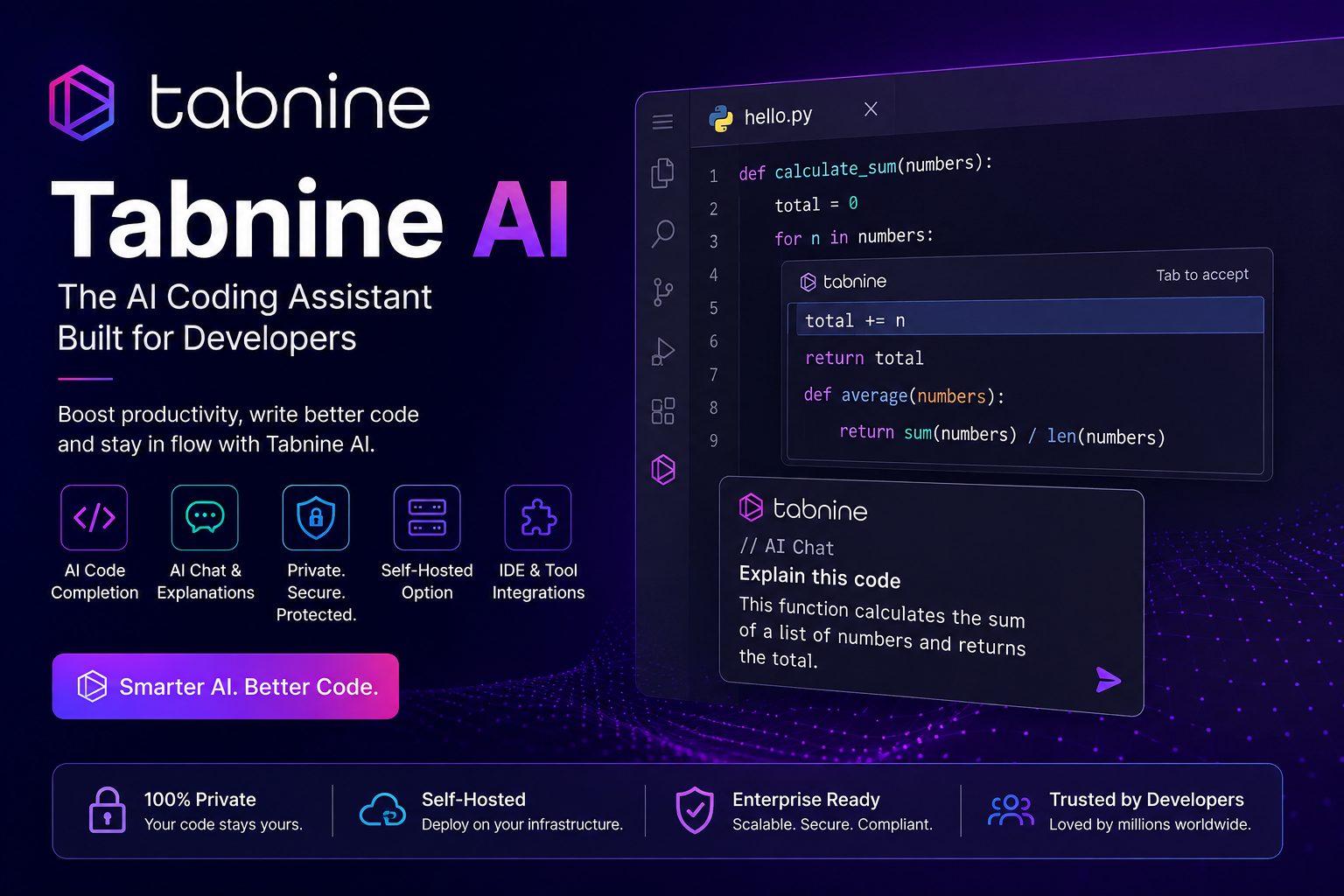
🏅 8. Tabnine — Best Privacy-Focused AI Coding Assistant
Privacy remains one of the biggest concerns surrounding AI-assisted software development. Many organizations cannot simply upload proprietary source code to external AI services.
Tabnine addresses this challenge by offering privacy-focused deployments and enterprise controls that allow businesses to keep sensitive code protected while still benefiting from AI-assisted development.
This makes Tabnine especially attractive for finance, healthcare, government, and enterprise software teams.
Advantages
- Excellent privacy options.
- Enterprise deployment support.
- Fast code completion.
- Supports many programming languages.
- Strong security controls.
Potential Downsides
- Smaller feature set than some AI-first IDEs.
- Less conversational than newer assistants.
AIProAcademy Expert Insight
One mistake we see repeatedly is developers switching AI tools every few weeks because a new product goes viral on social media. In reality, productivity usually comes from mastering one assistant and integrating it deeply into your workflow—not constantly chasing the newest release.
At this stage, we've covered eight outstanding AI coding tools. However, several specialized assistants still deserve recognition, particularly for developers working in browser-based environments, enterprise organizations, or highly collaborative engineering teams.
In the next section, we'll complete our ranking with the final four tools, compare all twelve side by side, and help you choose the right AI coding assistant based on your experience level, budget, and development goals.
The Final Four AI Coding Tools Worth Considering
While the previous tools dominate headlines, several specialized AI coding assistants continue to gain traction among professional developers. Depending on your workflow, one of these platforms may actually be the better investment.
9. Codeium (Windsurf Plugin) — Best Free AI Coding Assistant
For developers who want powerful AI assistance without paying for an expensive subscription, Codeium remains one of the strongest free alternatives available.
It supports dozens of programming languages, integrates with the most popular IDEs, and offers fast code completion that rivals many paid competitors.
Why Choose Codeium?
- Generous free plan.
- Excellent autocomplete.
- Supports more than 70 programming languages.
- Compatible with VS Code, JetBrains and more.
- Very easy to start using.
Limitations
- Less advanced reasoning than Claude or Cursor.
- Repository understanding is more limited.
10. Google Gemini Code Assist — Best for Google Cloud Developers

Google continues investing heavily in developer AI through Gemini Code Assist.
The platform combines code generation, documentation, debugging assistance and cloud development inside Google's ecosystem.
Teams already using Google Cloud Platform can particularly benefit from its ecosystem integration.
Highlights
- Excellent Google Cloud integration.
- Good documentation generation.
- Fast code explanations.
- Strong language support.
- Reliable enterprise infrastructure.
11. Continue.dev — Best Open-Source AI Coding Assistant
Open-source software continues to play a major role in modern development. Continue.dev gives developers complete flexibility by allowing them to connect different AI models while remaining inside their preferred editor.
If customization matters more than convenience, Continue.dev is an excellent option.
Pros
- Completely open-source.
- Supports multiple AI providers.
- Highly customizable.
- Strong developer community.
Cons
- Requires more technical setup.
- Not as beginner-friendly.
12. Sourcegraph Cody — Best for Enterprise Code Search

Large organizations often struggle more with understanding existing code than writing new software.
Sourcegraph Cody focuses on repository intelligence, helping engineers navigate massive codebases, understand dependencies and locate implementation details in seconds.
It shines inside organizations managing millions of lines of code.
Best Features
- Excellent repository search.
- Outstanding large-project understanding.
- Enterprise collaboration.
- Strong documentation assistance.
Quick Comparison: Which AI Coding Tool Is Right for You?
If you don't have time to read every detailed review, this comparison table summarizes the strengths of each platform.
| Tool | Best For | Difficulty | Overall Rating |
|---|---|---|---|
| Cursor AI | Professional Developers | Easy | ★★★★★ |
| GitHub Copilot | Daily Programming | Easy | ★★★★★ |
| Claude Code | Large Codebases | Medium | ★★★★★ |
| Windsurf | AI-Native IDE | Medium | ★★★★☆ |
| Replit AI | Students & Beginners | Easy | ★★★★☆ |
| Bolt.new | Rapid MVP Development | Easy | ★★★★☆ |
| Amazon Q | AWS Development | Medium | ★★★★☆ |
| Tabnine | Enterprise Privacy | Easy | ★★★★☆ |
| Codeium | Free AI Coding | Easy | ★★★★☆ |
| Gemini Code Assist | Google Cloud | Easy | ★★★★☆ |
| Continue.dev | Open Source | Advanced | ★★★★☆ |
| Sourcegraph Cody | Enterprise Teams | Advanced | ★★★★☆ |
Choose Cursor AI if you want the best all-around AI coding experience. Choose GitHub Copilot if you already spend your day inside Visual Studio Code. Choose Claude Code when understanding complex projects matters more than speed. Choose Bolt.new if you're building startups and MVPs. Choose Codeium if you're looking for the best free AI coding assistant.
The smartest developers don't ask, "Which AI writes the most code?" They ask, "Which AI helps me build better software every single day?"
By now, you know the strengths of every major AI coding assistant available in 2026. But one important question remains: Should every developer actually rely on AI? Can AI make you a better programmer—or can it slow down your learning if used incorrectly?
In the final section, we'll answer those questions, share practical best practices, discuss common mistakes developers make with AI, and finish with a comprehensive FAQ to help you choose the right coding assistant with confidence.
Should You Actually Use AI for Coding in 2026?
The short answer is yes—but only if you use it wisely.
Artificial intelligence is no longer a futuristic technology reserved for large technology companies. It has become a practical productivity tool that helps developers write code faster, understand unfamiliar projects, debug more efficiently, and automate repetitive tasks.
However, AI should never replace critical thinking.
The best software engineers don't blindly accept every AI suggestion. They question it, test it, improve it, and understand why it works before shipping it to production.
AIProAcademy's Final Recommendation
Think of AI as your junior developer—not your senior architect. Let it generate boilerplate code, explain unfamiliar concepts, summarize documentation, and accelerate repetitive work. But always keep the final technical decisions in human hands.
5 Best Practices for Using AI Coding Assistants
Developers who gain the biggest productivity improvements usually follow a few simple habits.
- Review every AI-generated code before using it.
- Write clear prompts with enough technical context.
- Use AI to understand code—not only to generate it.
- Protect confidential company code when using cloud AI services.
- Continue learning programming fundamentals even if AI writes part of your code.
Common Mistakes Developers Make
AI can save hundreds of hours each year, but it can also create new problems when used incorrectly.
- Copying AI-generated code without understanding it.
- Ignoring security vulnerabilities suggested by AI.
- Expecting AI to replace software architecture skills.
- Believing the first generated answer is always correct.
- Depending entirely on AI instead of improving personal programming skills.
The future belongs to developers who know how to collaborate with AI—not compete against it.
Frequently Asked Questions (FAQ)
Which is the best AI coding tool in 2026?
For most professional developers, Cursor AI currently offers the best overall balance between intelligent code generation, repository understanding, debugging assistance, and developer experience. GitHub Copilot remains an excellent choice for daily coding, while Claude Code is particularly strong for analyzing complex projects.
Can AI replace software developers?
No. AI can automate repetitive programming tasks, accelerate development, and improve productivity, but software engineering still requires architecture design, business understanding, critical thinking, testing, security knowledge, and human decision-making.
Which AI coding assistant is best for beginners?
Replit AI and GitHub Copilot are among the easiest tools for beginners because they integrate naturally into the learning process while providing helpful explanations and code suggestions.
Is AI-generated code safe?
Usually—but not automatically. Developers should always review generated code for correctness, security, licensing concerns, and performance before deploying it in production.
Can AI help me learn programming?
Absolutely. Modern AI assistants can explain algorithms, describe programming concepts, review your code, suggest improvements, and answer technical questions. Used correctly, they can significantly accelerate the learning process.
Should professional developers still learn algorithms and data structures?
Yes. AI can generate implementations, but understanding algorithms, complexity analysis, and software design remains essential for building reliable and scalable applications.
Final Thoughts
The AI coding revolution isn't coming. It's already here.
Developers who embrace AI thoughtfully are shipping software faster, spending less time on repetitive work, and focusing more on creativity, architecture, and solving real business problems.
Those who ignore AI completely risk falling behind—not because AI replaces developers, but because developers using AI become significantly more productive.
Whether you're a student writing your first Python script, a freelancer building client projects, a startup founder launching an MVP, or a senior engineer managing enterprise applications, today's AI coding assistants can become valuable partners in your daily workflow.
If you're just getting started, begin with GitHub Copilot or Replit AI. If you're a professional developer, Cursor AI is currently our top recommendation. If you work with massive codebases, Claude Code deserves serious consideration. The best AI coding tool is the one that integrates naturally into your workflow, helps you write better software, and allows you to stay focused on solving meaningful problems instead of repetitive coding tasks.
Editorial Policy: This guide is independently researched and written by the AIProAcademy editorial team. We regularly review and update our recommendations as AI coding tools evolve. Last updated: 2026.
Comments