
AI Agents for Small Business in 2026: 15 Real Ways to Automate Your Business
AI agents are moving from science-fiction demos into everyday business workflows. But the smartest small businesses are not automating everything just because they can. They are finding the right problems first, choosing the right level of automation, and keeping humans in control when it matters.
There is a moment almost every small business owner knows.
You open your laptop in the morning and the work is already waiting for you.
Emails that need answers. Customers waiting for replies. Leads that need follow-up. Appointments that need confirmation. Documents that need to be processed. A CRM that is already out of date.
Then, somewhere between answering messages and putting out small fires, the day disappears.
You started the business because you wanted more freedom.
More control over your time. More opportunities. More room to build something that belongs to you.
But slowly, the business starts demanding every hour you have.
And the uncomfortable truth is that many entrepreneurs are not spending their best hours building the future of their business. They are spending them repeating tasks that a computer could potentially handle.
This is where AI agents become interesting.
But there is a problem.
The internet is full of articles telling business owners to "deploy AI agents," "build autonomous employees," or "automate everything."
That sounds exciting.
It is also not always good advice.
The real question is not: "Where can I put AI?"
The better question is: "Which part of my business is actually worth automating?"
The smartest businesses do not start with an AI agent. They start with a problem.
In this guide, we will take a practical approach.
We will look at what AI agents actually are, how they differ from traditional automation and chatbots, and 15 real business problems where they can potentially help.
More importantly, we will also look at where AI agents should not be used, how to keep humans in control, how to estimate the potential value of automation, and how a small business can start without spending a fortune or trying to automate the entire company in one weekend.
AI agents for small businesses are software systems that can interpret goals, use connected tools, make decisions within defined boundaries, and complete multi-step tasks. They can help with customer support, lead qualification, appointment scheduling, sales research, document processing, CRM updates and other repetitive workflows. However, not every process needs an AI agent. For predictable tasks, traditional automation may be simpler and safer. For sensitive or high-risk decisions, human oversight should remain part of the workflow.
The goal of this article is not to convince you that every small business needs an AI agent.
The goal is to help you decide whether one actually makes sense for your business.
What Is an AI Agent, Really?
The phrase "AI agent" is everywhere in 2026. It appears in startup announcements, software marketing, business newsletters, and social media posts promising that autonomous AI will soon replace entire teams.
But the term is often used so broadly that it can become difficult to understand what people are actually talking about.
So let's make it simple.
An AI agent is a software system that can take a goal, interpret information, decide what actions to take within defined boundaries, use connected tools, and work through multiple steps to reach an intended outcome.
The important word here is not just AI.
It is action.
A normal AI chatbot might answer a question. An AI assistant might help you write an email. A traditional automation might move information from one system to another.
An AI agent can potentially combine several of these capabilities into one workflow.
For example, imagine that a new potential customer sends a message to your business.
Instead of simply generating a reply, an AI-powered workflow might:
- Read and interpret the customer's message.
- Identify what the customer is asking for.
- Check information stored in your knowledge base.
- Look up the customer's previous interactions.
- Classify the lead based on predefined criteria.
- Draft a personalized response.
- Ask a human for approval if the situation is sensitive.
- Update the CRM after the interaction.
- Schedule a follow-up if appropriate.
That is where the idea of an "agent" becomes more meaningful.
The system is not just producing text. It is participating in a larger process.
AI Agent vs. Chatbot vs. AI Assistant vs. Automation
These terms are often mixed together, but they are not exactly the same thing.
Understanding the difference matters because one of the most expensive mistakes a small business can make is using a complex AI system when a simple automation would have done the job.
| Technology | Main Role | Decision-Making | Example |
|---|---|---|---|
| Traditional Automation | Executes predefined rules. | Very limited. It follows instructions exactly. | When a customer submits a form, automatically add the contact to a CRM. |
| Chatbot | Communicates with users through predefined or AI-generated conversations. | Usually limited to the conversation. | Answer common customer questions on a website. |
| AI Assistant | Helps a human perform tasks. | The human remains the main decision-maker. | Summarize a meeting and draft a follow-up email. |
| AI Agent | Works through a multi-step objective using connected tools. | Can make bounded decisions within predefined rules. | Research a lead, qualify it, update the CRM, and prepare the next action. |
The boundaries are not always perfectly defined.
Different software companies use the term "agent" differently, and some systems described as agents are really advanced automations with an AI model added to the workflow.
That is why we recommend focusing less on the label and more on what the system actually does.
A practical rule of thumb
If the system simply follows fixed instructions, you probably have automation. If it understands language, interprets context, chooses between possible actions, and uses multiple tools to complete a goal, you are getting closer to an AI agent.
What Does an AI Agent Actually Look Like in a Small Business?
Forget the futuristic image of a robot running an entire company.
In practice, the most useful AI agents are often much less glamorous.
They quietly handle small pieces of operational work that consume time every day.
The Lead Qualification Agent
A new lead arrives through a website form. The system reads the request, extracts key information, checks predefined qualification criteria, assigns a priority, and prepares the information for the sales team.
The Customer Support Agent
The system receives a customer question, searches an approved knowledge base, prepares an answer, and escalates the request to a human when it cannot confidently resolve the issue.
The Meeting Follow-Up Agent
After a meeting, the workflow processes the transcript, identifies decisions and action items, creates a summary, drafts follow-up messages, and prepares tasks for the team.
The Research Agent
A business owner provides a research goal. The system searches approved sources, organizes findings, compares information, and produces a structured first draft for human review.
Notice something important about all four examples.
None of them requires the AI to "run the business."
The AI is assigned a specific responsibility inside a larger business process.
That is usually a much better place to start.
The 4 Levels of AI Automation
Not every business needs a fully autonomous AI agent.
In fact, most small businesses should probably start much lower on the automation ladder.
Think of AI automation as a spectrum.
AI Suggests
The AI analyzes information and recommends what should happen next. A human makes the final decision.
Best for high-risk decisionsAI Drafts
The AI creates a first version of an email, report, proposal, response, or document. A human reviews it before anything is sent or published.
Great starting point for most businessesAI Acts With Approval
The AI can perform actions across connected systems, but important steps require human approval before execution.
Useful for multi-step workflowsAI Acts Autonomously
The system can complete predefined tasks without requiring approval at every step. Monitoring, limits, logging, and escalation mechanisms become essential.
Best for mature, low-risk processesThe biggest mistake is assuming that Level 4 is automatically better than Level 1.
It is not.
The best level depends on the task.
The goal of automation is not maximum autonomy. The goal is maximum useful leverage with an acceptable level of risk.
So, Do You Actually Need an AI Agent?
Before you start comparing AI agent platforms, ask yourself one simple question:
Is the problem actually complex enough to require an AI agent?
Consider these three situations.
Situation 1: The task follows predictable rules
Example: Every time someone fills out a contact form, send the data to your CRM and notify the sales team.
You probably do not need an AI agent.
A simple automation is likely cheaper, easier to maintain, and more predictable.
Situation 2: The task requires understanding language
Example: Customers send messages in different ways, using different words, asking different questions, and providing incomplete information.
AI can potentially help interpret the information and determine what the customer needs.
Situation 3: The task requires multiple decisions and actions
Example: A new lead arrives. The system needs to understand the request, research the company, classify the opportunity, update the CRM, prepare a response, and determine whether a human should intervene.
This is where an AI agent may provide more value than a simple chatbot or rule-based automation.
The AIProAcademy Decision Rule
Start with the simplest technology that can reliably solve the problem. Move from traditional automation to AI assistance and then to AI agents only when the complexity of the workflow genuinely justifies it.
Now that we have separated the hype from the reality, we can ask the question that matters most for a small business owner:
Where should you actually use AI?
The answer is not the same for every company.
A local restaurant, an online store, a marketing agency, a freelancer, and a B2B software company will all have different bottlenecks.
So instead of giving you another generic list of "cool AI tools," the next section will start from the problems businesses actually experience every day.
We will look at 15 real business problems where AI agents can potentially create meaningful leverage — and, importantly, what the workflow could look like in practice.
15 Real Ways AI Agents Can Help Small Businesses in 2026
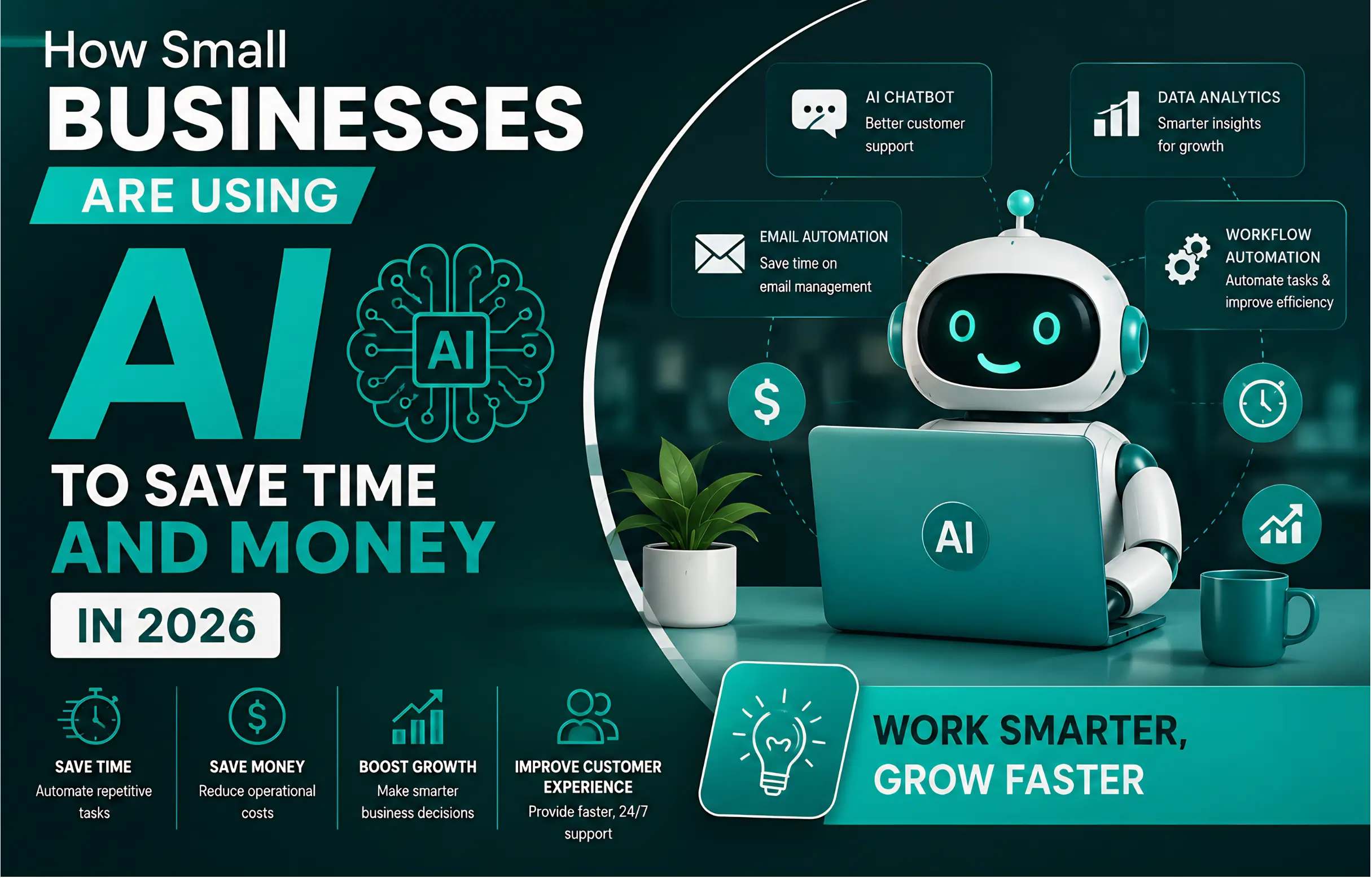
Now we get to the part that matters most.
You understand what an AI agent is. You know how it differs from a chatbot and traditional automation. You also understand that more autonomy does not automatically mean better automation.
But there is still one question every business owner eventually asks:
"Okay. But what could an AI agent actually do for my business?"
The answer depends on where your business loses time.
Maybe your team spends hours answering the same customer questions. Maybe leads arrive while everyone is busy. Maybe your CRM is always two weeks behind. Maybe you spend Sunday evenings preparing reports that nobody enjoys reading anyway.
These are the situations where AI becomes interesting.
Not because AI is magical.
But because businesses are full of repetitive work mixed with unstructured information.
That combination is exactly where modern AI systems can potentially create leverage.
AI Lead Qualification and Prioritization
The problem: A small business receives leads from multiple channels, but nobody has enough time to evaluate every lead immediately. Some opportunities are valuable. Others are not a good fit. And the best prospects can sometimes get lost in the noise.
- The agent receives a new lead from a website form, email, or another connected channel.
- It analyzes the message and extracts relevant information.
- It compares the lead against predefined qualification criteria.
- It assigns a priority or qualification category.
- It updates the CRM and prepares the next recommended action.
Customer Support and FAQ Handling
The problem: Customer support teams repeatedly answer the same questions: pricing, delivery times, opening hours, product information, account instructions, and basic troubleshooting.
- A customer sends a question.
- The AI identifies the intent behind the request.
- It searches an approved business knowledge base.
- It prepares a response using the available information.
- If confidence is low or the issue is sensitive, the conversation is transferred to a human.
AI Appointment Scheduling and Follow-Up
The problem: Booking appointments sounds simple until messages start arriving from different channels at different times.
Someone asks about availability by email. Another person sends a message on social media. A third customer forgets their appointment completely.
- The agent interprets the customer's request.
- It checks available time slots through a connected scheduling system.
- It proposes suitable options.
- It confirms the selected appointment.
- It sends reminders and handles basic rescheduling requests.
AI Sales Research Before a Meeting
The problem: Salespeople often enter meetings without enough time to properly research the prospect.
The result is a generic conversation when the customer expected something more personal.
- The agent receives the prospect's company information.
- It researches approved public sources.
- It summarizes the company's business and relevant context.
- It identifies potential challenges or opportunities.
- It prepares a concise briefing for the salesperson.
AI Email Triage and Drafting
The problem: Email becomes a second job.
Important requests are mixed with newsletters, internal messages, customer questions, invoices, and conversations that can wait.
- The system categorizes incoming messages.
- It identifies urgent or high-priority conversations.
- It summarizes long email threads.
- It drafts responses based on approved information.
- The human reviews important messages before sending.
AI Meeting Summaries and Action Items
The problem: Meetings end with good intentions. Then everyone goes back to work and forgets who was supposed to do what.
- The meeting transcript is processed.
- Key decisions are identified.
- Action items are extracted.
- Responsibilities and deadlines are organized.
- A summary is prepared for human review and distribution.
AI Document Processing
The problem: Businesses deal with invoices, forms, contracts, applications, reports, and other documents that contain valuable information but require manual processing.
- A document enters the workflow.
- AI extracts relevant information.
- The information is structured into a standard format.
- The system checks for missing or unusual fields.
- A human reviews exceptions before the data is finalized.
AI CRM Updates and Data Cleanup
The problem: CRM systems often become outdated because employees are too busy to update every interaction manually.
The information exists somewhere. It is simply not organized where the business needs it.
- The agent processes approved customer interactions.
- It identifies relevant updates.
- It prepares changes to customer records.
- Low-risk updates can be automated.
- Sensitive or uncertain changes require approval.
AI Content Research and Brief Creation
The problem: Creating high-quality content requires more than asking an AI to "write a blog post."
Writers and marketers need to understand the audience, search intent, competitors, questions people ask, and gaps in existing content.
- The business provides a topic and target audience.
- AI analyzes relevant search questions and existing content.
- It organizes potential subtopics and content gaps.
- It creates a structured content brief.
- A human writer adds expertise, experience, originality, and editorial judgment.
AI Competitor and Market Monitoring
The problem: Small businesses often know they should watch the market, but nobody has time to monitor every relevant change.
- The business defines approved sources to monitor.
- The system collects relevant new information.
- AI summarizes meaningful changes.
- The system separates new developments from repeated information.
- A human reviews important findings before taking action.
AI Internal Knowledge Assistant
The problem: The information employees need already exists somewhere: documents, internal guides, policies, product information, or previous answers.
The problem is finding it.
- The employee asks a question in natural language.
- The system searches approved internal sources.
- It provides an answer based on available documentation.
- Sources can be shown so the employee can verify the information.
- Questions that cannot be answered confidently are escalated.
AI Invoice and Expense Organization
The problem: Receipts and invoices arrive in different formats and from different sources.
Organizing them manually can become a surprisingly large administrative burden.
- Documents are collected from approved sources.
- Relevant fields are extracted.
- Expenses are categorized according to predefined rules.
- Unusual or uncertain entries are flagged.
- A human reviews important financial records.
AI Customer Feedback Analysis
The problem: Customers leave feedback in reviews, emails, surveys, social media messages, and support conversations.
Valuable signals are everywhere, but they are difficult to analyze manually at scale.
- Feedback is collected from approved channels.
- AI groups similar topics and recurring complaints.
- Sentiment and common themes are analyzed.
- Important trends are summarized for the team.
- Human decision-makers determine what actions to take.
AI E-Commerce Operations Assistance
The problem: Online stores deal with a constant stream of operational tasks: product questions, order status requests, customer messages, returns, and internal updates.
- The agent receives a customer request.
- It identifies the type of request.
- It checks approved order or product information.
- It prepares an appropriate response.
- Complex cases are escalated to a human operator.
AI Business Reporting and Decision Support
The problem: Business data often exists in multiple systems, but turning that data into a useful story takes time.
Owners may have access to dashboards but still struggle to answer the question:
"What actually changed, and what should I pay attention to?"
- The system collects approved business metrics.
- AI identifies meaningful changes or unusual patterns.
- The information is summarized in plain language.
- Potential questions or areas for investigation are highlighted.
- The business owner makes the final decision.
Which AI Agent Should Your Small Business Build First?
After reading 15 possibilities, it is tempting to start building all of them.
Please don't.
This is where many businesses make their first mistake with AI.
They become excited by what is technically possible and forget to ask what is economically valuable.
Your first AI workflow should not be the most impressive one.
It should be the one that solves a painful problem repeatedly.
A simple way to choose your first AI automation
Look for a process that scores highly across these five questions:
- Does the task happen frequently?
- Does it consume meaningful amounts of employee time?
- Does the process contain enough repetition to standardize?
- Can the business clearly measure whether automation improved it?
- Can a human safely review the output when necessary?
If you can answer "yes" to most of these questions, you may have found a strong candidate.
If the task happens once every six months, requires deep human judgment, and could cause serious damage if the AI makes a mistake, it is probably not the right place to start.
The safest way to start with AI agents
You do not need to transform your entire business overnight. In fact, the best approach is usually much smaller.
- 1 Choose one repetitive business problem.
- 2 Document how the process currently works.
- 3 Measure how much time, money, or effort the process currently consumes.
- 4 Start with AI assistance before giving the system full autonomy.
- 5 Test the workflow with real examples.
- 6 Track errors, human interventions, and measurable results.
- 7 Only increase autonomy when the system has demonstrated consistent performance.
The Real Reason Small Businesses Are Looking at AI
Behind all the discussions about AI agents, automation, and productivity, there is something much more human.
Most small business owners are not dreaming about owning the most advanced AI system in their industry.
They are dreaming about something simpler.
They want to stop feeling like the business owns them.
They want to finish the workday without carrying another hundred unfinished tasks in their head.
They want to answer their customers properly without spending their entire evening inside an inbox.
They want to grow without hiring five people just to keep up with administrative work.
And maybe, somewhere in all of that, they want a little more time for the life they started the business to build in the first place.
The best AI automation is not the one that makes a business look futuristic. It is the one that quietly gives people back time they thought they had already lost.
But there is an important reality we need to discuss before going any further.
Just because an AI agent can perform a task does not mean it should perform that task without supervision.
The more access an AI system has to your business, the more important questions become:
- What information can the system access?
- Which actions is it allowed to perform?
- Who is responsible when something goes wrong?
- How do you detect incorrect or unexpected behavior?
- When should a human take control?
This is where the conversation moves from "What can AI agents do?" to a much more important question:
"How do I use AI without losing control of my business?"
In the next part, we will explore the risks of AI agents, human oversight, privacy, security, hallucinations, data access, and the practical rules every small business should consider before allowing an AI system to take real actions.
15 Real Ways Small Businesses Can Use AI Agents
Now we get to the part most business owners actually care about.
You understand what an AI agent is. You understand how it differs from a chatbot and traditional automation. You also understand that the goal is not to give an AI access to your entire company and hope for the best.
The real opportunity is much more practical.
Find the repetitive, expensive, slow, or frustrating parts of your business. Then ask whether technology can remove some of that friction.
Sometimes the answer will be a simple automation. Sometimes it will be an AI assistant. And sometimes, when the workflow requires interpretation and multiple actions, an AI agent may make sense.
Below are 15 practical use cases that cover some of the most common problems small businesses face today.

Lead Qualification and Prioritization
Imagine receiving 50 new leads in a week.
Some are serious buyers. Some are simply curious. Some do not fit your target market at all.
A small sales team can easily waste hours trying to figure out which opportunities deserve attention first.
An AI-powered workflow can help organize that process.
- A new lead submits a form or sends a message.
- The AI analyzes the request and extracts relevant information.
- The system compares the lead against predefined qualification criteria.
- The lead receives a priority or category.
- The CRM is updated automatically.
- The sales team receives the information needed for the next step.
Your sales team spends less time sorting through every incoming request and more time speaking with people who are more likely to become customers.
The AI should recommend priorities based on clear criteria, not make irreversible decisions about customers without oversight.
Customer Support and FAQ Handling
Customer questions rarely arrive at convenient times.
They arrive at 10 PM. During lunch. On weekends. Five minutes before you are supposed to leave the office.
For many small businesses, answering the same questions again and again quietly consumes a huge amount of time.
An AI agent can potentially handle repetitive support requests by searching an approved knowledge base and preparing responses.
- A customer asks a question through chat or email.
- The AI identifies the customer's intent.
- It searches approved business information.
- It prepares a relevant answer.
- If confidence is low, the conversation is escalated to a human.
The key word here is approved.
Your AI should not invent company policies, prices, refund rules, or legal information.
It should work from information you trust.
Appointment Scheduling and Follow-Up
Scheduling sounds simple until you are doing it dozens of times every week.
Someone asks for an appointment. You check availability. You reply. They ask for another time. You check again. Then someone forgets to show up.
An AI-powered scheduling workflow can reduce much of this back-and-forth.
- A customer requests an appointment.
- The system identifies the type of appointment.
- Available time slots are checked.
- The customer receives suitable options.
- The appointment is added to the calendar.
- Automatic reminders are sent before the meeting.
Less administrative work and fewer missed appointments, while customers receive faster responses.
Email Management and Response Drafting
Email is one of those business tasks that never seems to end.
Even when you finish your inbox, it somehow fills up again.
AI can help categorize incoming messages, identify urgency, summarize long conversations, and prepare draft responses.
- New emails arrive in the business inbox.
- The AI categorizes them by topic and urgency.
- Important conversations are highlighted.
- The AI summarizes long email threads.
- Draft replies are prepared for human review.
This is a good example of where you may not need full autonomy.
In many cases, simply having AI prepare the first draft can save significant time while keeping the final decision with a human.
The best AI automation is often invisible. It does not replace the person customers trust. It simply gives that person more time to do the work that actually matters.
Meeting Notes and Action Items
Meetings create a strange problem.
Everyone leaves the meeting feeling productive. Then three days later, nobody remembers exactly who was supposed to do what.
AI can turn conversations into structured information.
- The meeting transcript is processed.
- Important decisions are identified.
- Action items are extracted.
- Tasks are assigned to the appropriate people.
- A summary is prepared and distributed.
For small teams, this can be especially valuable because a single person is often responsible for several roles at once.
Sales Research and Prospect Preparation
Before contacting a potential customer, salespeople often spend time researching the company, understanding its industry, and trying to identify possible needs.
That research can be repetitive.
An AI agent can help gather and organize publicly available information into a structured briefing.
- The salesperson selects a target company.
- The system gathers information from approved sources.
- Relevant facts are organized into a structured profile.
- Potential business needs are identified as hypotheses.
- The salesperson receives a research brief before contacting the prospect.
AI-generated research should be verified before being used in important sales conversations. A confident-sounding mistake can damage trust very quickly.
Content Research and First Drafts
Creating useful content is not just about writing.
A strong article often requires research, topic selection, competitor analysis, outlining, fact-checking, editing, and distribution.
AI agents can potentially assist with parts of this workflow.
- A content topic is defined.
- Relevant search questions are collected.
- Competitor content is analyzed for gaps and opportunities.
- A structured outline is created.
- A first draft is prepared.
- A human editor reviews accuracy, originality, tone, and usefulness.
This is an important distinction for content marketers.
The goal should not be to publish the maximum number of AI-generated articles.
The goal should be to use AI to help create content that is genuinely useful to real people.
Document Processing and Data Extraction
Small businesses deal with documents constantly.
Invoices. Forms. Contracts. Applications. Reports. Purchase orders.
Extracting information from each document manually can become a serious operational bottleneck.
- A document enters the system.
- AI or OCR extracts relevant information.
- The information is validated against predefined rules.
- Structured data is sent to the appropriate business system.
- Exceptions are flagged for human review.
Businesses processing large numbers of similar documents may find significant value in automating the repetitive extraction step while keeping humans responsible for exceptions and sensitive decisions.
CRM Updates and Administrative Work
CRM systems are useful.
Keeping them updated is another story.
Salespeople often forget to record conversations, update customer information, or change opportunity stages because they are focused on selling.
AI can help turn conversations and business activities into structured CRM updates.
- A customer interaction takes place.
- The conversation is summarized.
- Relevant information is extracted.
- Suggested CRM updates are generated.
- The system updates the CRM automatically or requests approval.
Internal Knowledge Search
One of the most frustrating experiences in a growing company is knowing that an answer exists somewhere but not knowing where.
It may be inside an old document. A shared drive. An email. A project management system. Or a knowledge base nobody remembers how to navigate.
An AI-powered knowledge assistant can help employees find information using natural language.
- An employee asks a question in natural language.
- The system searches approved internal sources.
- Relevant information is retrieved.
- The answer is generated with references to the source material.
- The employee can verify the original information when needed.
This can be particularly useful when a small business starts growing and the knowledge that once lived inside the founder's head begins to spread across multiple people and systems.
The First 10 Use Cases at a Glance
| Use Case | Main Problem | Potential AI Role |
|---|---|---|
| Lead Qualification | Too many incoming leads to manually evaluate. | Analyze, classify, prioritize. |
| Customer Support | Repeated customer questions. | Search knowledge and prepare responses. |
| Scheduling | Constant back-and-forth communication. | Coordinate availability and reminders. |
| Email Management | Large volumes of messages. | Classify, summarize, draft. |
| Meeting Follow-Up | Lost decisions and action items. | Extract, summarize, organize. |
| Sales Research | Time-consuming prospect research. | Gather and structure information. |
| Content Workflow | Slow research and drafting. | Research, outline, assist with drafts. |
| Document Processing | Manual data extraction. | Extract and structure information. |
| CRM Administration | Incomplete or outdated customer records. | Suggest or perform updates. |
| Knowledge Search | Information scattered across systems. | Find and summarize internal information. |
But Here Is the Part Most AI Articles Forget
Having 15 possible AI use cases does not mean you should implement all 15.
In fact, doing so would probably be a mistake.
The smartest approach is to identify the one workflow that is costing your business the most time, money, or energy.
Then start there.
Measure what happens.
Improve the system.
Only then should you expand.
Because the real competitive advantage in AI is not having the most impressive technology.
It is building a system that quietly makes your business better every week.
In the next part, we will go one step further and answer a question every small business owner eventually asks:
How much can an AI agent actually save a business?
We will look at the economics behind AI automation, how to estimate the potential return, what costs to consider, and how to decide whether an automation project is actually worth building.
The Best AI Agent Is Not the Most Autonomous One
There is a temptation in the AI industry to measure success by how much a system can do without a human.
But for a small business owner, that is often the wrong metric.
The real question is:
How much valuable time can this system give back to the people who actually move the business forward?
If an AI agent saves your team five hours every week without creating new problems, that may be more valuable than a complex autonomous system that looks impressive but requires constant monitoring.
And that leads to the next question: How do you choose which business process to automate first?
Because not every repetitive task is worth automating. Some processes are too unpredictable. Some are too sensitive. Some simply do not happen often enough to justify the investment.
The next part of this guide will show you a practical framework for identifying the best opportunities for AI automation inside your own business.
How to Start Using AI Agents in Your Small Business
By now, you might be thinking:
"Okay, I understand what AI agents can do. But where do I actually start?"
This is the point where many business owners make their first mistake.
They immediately start searching for the most advanced AI agent platform.
They compare dozens of tools. They watch tutorials. They build complicated workflows. They connect five different applications.
And after a few weeks, they discover something uncomfortable:
They automated a process that was not actually important.
Start with the bottleneck, not the technology
The best AI automation project usually begins with a simple observation:
"What repetitive task is consuming valuable time every week?"
That question is more important than asking which AI tool is trending today.
Step 1: Find the Task That Is Stealing Your Time
Take a normal week in your business.
Think about the tasks that happen again and again.
Maybe you answer the same customer questions every day.
Maybe you manually copy information from emails into your CRM.
Maybe you spend hours researching potential customers before contacting them.
Maybe your team spends every Monday preparing reports that nobody actually enjoys creating.
These are the processes worth investigating.
- Repetitive and performed frequently.
- Time-consuming but not strategically valuable.
- Based on information that already exists digitally.
- Structured enough to follow a recognizable process.
- Currently creating delays for customers or employees.
- Easy to measure before and after automation.
If you find a task that matches several of these characteristics, you may have discovered a strong candidate for automation.
Step 2: Calculate What the Problem Is Actually Costing You
This step is often ignored.
But it can completely change your decision.
Imagine that you spend two hours every day handling repetitive customer requests.
Two hours may not sound dramatic on a single day.
But over a month, those hours become a significant amount of time that could have been spent on sales, product development, strategy, or simply getting your life back.
Before investing in automation, estimate:
Time spent
How many hours does your team spend on the task every week or month?
Business value
What could your team accomplish if those hours were redirected toward higher-value activities?
Error cost
How much do mistakes, missed follow-ups, or slow responses cost the business?
Customer impact
Does the current process create a poor customer experience or cause valuable opportunities to disappear?
A simple way to think about ROI
If an AI workflow saves your business 20 hours every month, those hours have a real economic value.
The question is not simply: "How much does the AI tool cost?"
The better question is: "How much value can this workflow create compared with its total cost and risk?"
Step 3: Start With One Workflow
This might be the most important advice in this entire guide.
Do not try to automate your entire business at once.
Choose one workflow.
One problem.
One measurable objective.
Then improve it.
A small business does not need ten AI agents running simultaneously to benefit from AI.
One well-designed workflow that saves several hours every week can already create a meaningful difference.
A better first project
Instead of saying: "I want to build an AI-powered business."
Say: "I want to reduce the time my team spends processing new leads by 50%."
The second statement gives you something you can actually measure.
Step 4: Keep a Human in the Loop When It Matters
AI agents can be powerful.
They can also make mistakes.
Sometimes the mistake is harmless.
Sometimes it is not.
Imagine an AI system that accidentally sends the wrong information to an important customer.
Or incorrectly classifies a high-value sales opportunity.
Or generates a response that sounds confident but is factually wrong.
This is why responsible automation matters.
Do not give an AI system unlimited authority simply because the technology allows it.
The more sensitive the action, the stronger the human review and approval process should be.
A practical approach is to divide tasks into three categories.
Low Risk
The AI can often complete these tasks automatically, especially when mistakes are easy to detect and reverse.
Medium Risk
The AI can prepare the work, but a human should review it before the final action is taken.
High Risk
Human decision-making should remain central. AI can provide information or recommendations but should not operate alone.
Step 5: Measure the Results
Once your first workflow is running, do not immediately move on to the next AI project.
First, measure what changed.
Compare the situation before automation with the situation after automation.
- Time saved per week or month.
- Number of tasks processed automatically.
- Response time improvements.
- Reduction in repetitive manual work.
- Error rate before and after implementation.
- Customer satisfaction or response quality.
- Revenue or conversion improvements when measurable.
This is how you move from AI experimentation to an actual business strategy.
You stop asking: "Is AI cool?"
And start asking: "Did this actually make the business better?"
The Biggest Mistake Small Businesses Make With AI
The biggest mistake is not failing to use AI.
It is using AI without a clear reason.
Businesses sometimes adopt technology because competitors are talking about it.
They add AI features to their website.
They create chatbots nobody uses.
They automate internal processes that were already fast.
They spend money on complicated platforms while ignoring the simple operational problems that actually slow the company down.
That is not digital transformation.
That is technology for technology's sake.
The real opportunity is much simpler
Find the repetitive work that is holding your business back.
Understand why it happens.
Choose the simplest technology that can solve it.
Test it with a small workflow.
Measure the results.
Then scale what actually works.
That is how small businesses can use AI without losing control of the business they worked so hard to build.
But there is still one question we have not answered.
What are the actual AI agents and automation workflows that a small business can start using today?
In the next part, we will move from strategy to action and examine practical AI agent use cases across sales, marketing, customer support, operations, research, finance, and administration.
The goal is not to give you another random list of AI tools.
Instead, we will connect each use case to a real business problem, explain how the workflow works, and show where human oversight still matters.
Comments